
Caddo Parish Civil Docket Searches
Start at the Caddo Clerk Web Inquiry page. It points users to Caddo Clerk Connect Civil Inquiry, the parish's main online route for civil case index material. What you can see, including images, depends on your account and the record itself. Paid access runs $20 per day, $50 per month, or $500 per year. Pages cost $0.60 each. Card payments add a 3.45% convenience fee. The controls are dynamic. So the public page cannot promise particular name, case-number, date, or document filters.
A case number from a filing or notice is the best starting point. Without one, gather the party role and an approximate filing period. You also need the right venue. That could be the First Judicial District Court for the Parish of Caddo, Shreveport City Court, a justice court, or something else. The Caddo Parish Clerk of Court, Mike Spence, holds the district civil and domestic records. City and lower-court cases sit with a different custodian. Never assume they appear in the parish inquiry.
- Identify the court and civil case type on the paper in hand.
- Open the Clerk’s Civil Inquiry route and sign in if access is required.
- Search using only the fields the live account interface makes available.
- Compare parties, filing date, division, and docket number before treating a result as a match.
- Ask the civil minutes or copies desk for a specific entry, image, or certified copy when needed.
Caddo Civil Daybook Activity
Inside Clerk Connect, the Civil Suit Daybook instructions lay out a separate route: log in, pick Caddo Civil Inquiry, then choose CIVIL SUIT DAYBOOK. A daybook helps you spot new filing-intake activity. It is not a final judgment, proof of service, or a full hearing calendar. Nor does a listing prove any hearing took place. Those answers come from the minute entry, the signed order, a notice, or the clerk's confirmation.
The official instructions from that page appear below.
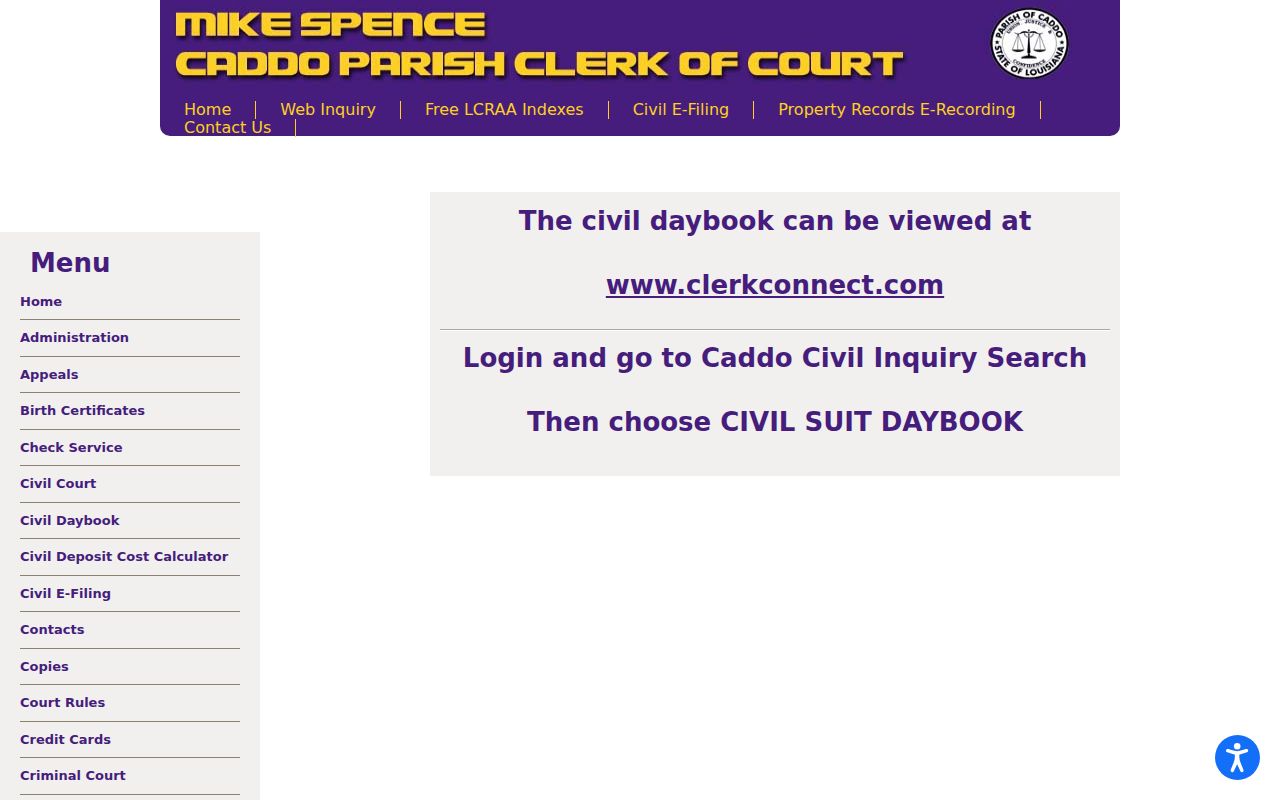
Treat the daybook as a snapshot of recent filings. Later court action shows up in the minutes or a signed judgment, not in the intake list.
Civil Dockets: What They Show
Think of the civil docket as a procedural index. It can give you the case number, filing date, party roles, attorney of record, division or section, hearing or trial date, motion, order, judgment, and closure information. A short entry only says that something was filed, heard, or entered. The pleading, exhibit, order, or judgment image behind that entry may live elsewhere. It may need paid access or a copy request. A restriction can also apply.
| Case number | The primary identifier. Preserve the exact format shown by the clerk or court rather than guessing a local prefix. |
|---|---|
| Parties and role | Names may be paired with plaintiff, petitioner, defendant, respondent, or another procedural role. |
| Filing or motion | An entry may name a petition, answer, exception, rule, memorandum, or request for court action. |
| Setting | Division, judge, date, time, and event label point to a scheduled civil action, not necessarily its result. |
| Order or judgment | Read the actual minute or signed document to distinguish an oral ruling, notice, and operative judgment. |
Domestic filings call for care. Do not repeat addresses, child identifiers, financial account data, or other protected details. A public index can be thinner than the file, and the file may hold restricted attachments.
Caddo Civil Record History
The Caddo Civil and Domestic Court page gives a useful history of access. Computer indexing began in 1982, and scanning of filings began in 2002. Backscanning is underway, with a goal of online civil filing access back to 1980. None of that guarantees every older item is online today. An older case may need a clerk request. It may need a courthouse visit. You can also check whether a paper or image record exists.
The same page describes the civil minutes clerks. They attend daily court, pull files and evidence, and prepare notices of judgment. They also enter motions and trial dates. They store evidence. That daily work explains the layers of a single case record. A web index, a minute entry, a document image, and a certified copy can all differ.
What Cases Fill the Civil Docket
Caddo civil and domestic records span many kinds of disputes. The Clerk points to petitions, answers, exceptions, divorce filings, protective orders, and other pleadings. Some cases are motion-driven. Others end in a consent judgment. Some begin without the opposing party present. Some move through a hearing rather than a jury trial. The court and the case family shape both the record route and the fields a docket will show.
- Contract, tort, property, title, and recorded-interest disputes.
- Succession and probate matters.
- Domestic, divorce, child-related, and protective-order proceedings.
- Injunction or other emergency-relief requests.
- Collection, judgment-enforcement, and appeal or writ activity.
- Limited civil matters that may be assigned to a lower court rather than the district docket.
Division assignments have their own sources. The Louisiana district-court rules appendix and the Caddo judge roster explain how civil, domestic, and criminal divisions are staffed. They will not tell you a party's next court date or how a case ends.
Caddo Civil E-Filing Requirements
The Caddo civil e-filing instructions cover filing new documents, not docket searching. The system takes PDFs only. Password-protected files get rejected, and attachments count toward pages and fees. At the service step, the filer says whether service is needed. The submitter reference number and notes are optional. Submission, clerk acceptance, and service on the other side are separate events.
One more detail comes from the official page. The system preauthorizes a card for 20% above the estimated charge. A final charge above that amount puts the filing on hold. It also triggers a notice to the submitter. The official instructions below walk through the process.
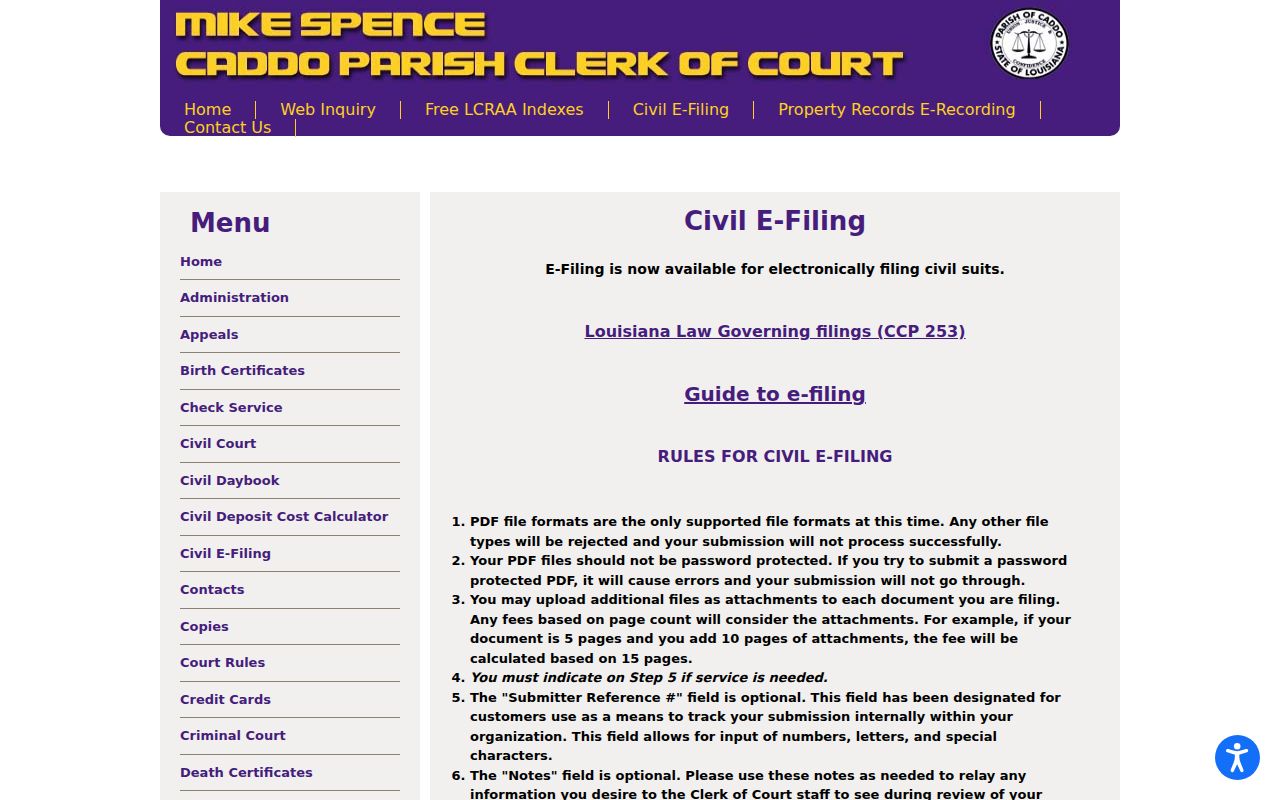
These requirements do not turn the e-filing page into a public case-search portal. Confirm current charges with the clerk.
Hearings on the Civil Docket
The civil side of the Caddo Parish docket covers many event types. A setting may be a motion hearing, a rule to show cause, a status conference, or a trial date. Minutes clerks record motions, trial settings, and notices of judgment. Clerk Connect may show related history, depending on the record and your access level. Read each entry with its event label. Pull the matching minute or order. A calendar date alone proves nothing more than scheduling. It does not confirm a hearing occurred. It does not prove judgment was rendered.
For a current district court civil setting, use the civil inquiry and confirm with civil or domestic minutes at 318-226-6785. Filing logistics run through 318-226-6776. The Caddo court schedule page also maps the separate criminal, City Court, and municipal calendar paths. Never assume a reset or continuance from an earlier listing; confirm it with the current minute, order, or clerk.
Caddo Civil Minutes and Copies
Copy orders work best with specifics. Give the docket number, division, document title, approximate filing date, and desired format. The civil copies desk takes calls at 318-226-6791 and email at copies@caddoclerk.com. The Caddo copies page handles online requests for civil, criminal, and land records at $1 per page, with mail or email delivery and postage where applicable. Ask about certification before ordering.
Know which layer you need. A minute entry is only the procedural account. The filed document is the pleading, order, or judgment itself. A certified copy adds the clerk's authentication. Skipping that distinction often gets you an index entry when you wanted the signed document.
Who Can See Civil Dockets
Louisiana law gives adults access to public records. That access has edges. A court can seal a document, part of a filing, or sensitive domestic material. Protected personal information can be withheld too. Clerk records, paper and electronic, still answer to court rules, statutory exceptions, and limits on portal coverage. If an image is unavailable, ask for the public or redacted portion and the legal basis for any denial.
Key Rules:
La. C.C.P. art. 251 identifies the clerk as custodian and permits public examination, copying, and certification as otherwise provided by law.
R.S. 44:31 provides Louisiana’s public-record baseline and places the burden of proving an exception on the custodian.
La. C.C.P. art. 253 addresses clerk-filed and electronic pleadings and public access under the applicable filing rules.
Caddo Civil Docket Access Boundaries
Caddo Parish offers several routes into the civil docket. Clerk Connect is free. So is the statewide eClerks LA portal. eClerks offers statewide and parish-search options, while the local subscription inquiry covers Caddo civil cases. When the portal falls short, the Caddo public-record request page routes noncriminal requests to Mike Spence at the clerk's office. Spell out the record, the date range, the case number, the format, and whether certification is needed.
Never calculate a deadline from a daybook result. Filing dates, service dates, notices of judgment, and signed orders each carry distinct legal effects. Get the operative court record. Then talk to a licensed Louisiana attorney.