
Caddo Parish Criminal Docket Searches
Two official tools do most of this work. The Caddo Clerk Web Inquiry page leads to separate paid Clerk Connect civil and criminal inquiries. Through Clerk Connect, the parish provides criminal case index material. Where your account and the record allow, you get images or printing. Public pricing is tiered by period. It runs $20 daily, $50 monthly, and $500 yearly. Add $0.60 per page and a 3.45% card convenience fee. The search fields change inside a logged-in account. Do not assume a name, date, or filter exists until you see it there.
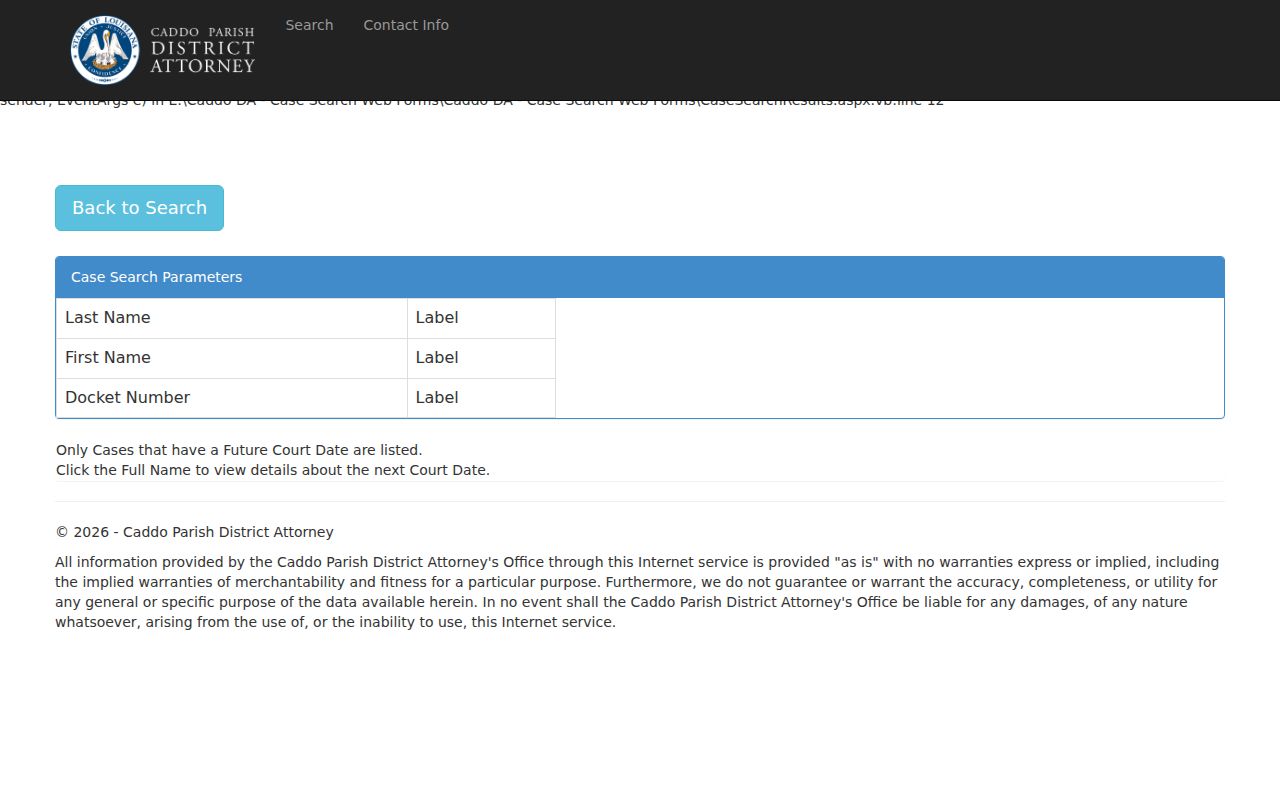
For an upcoming adult setting, the Caddo Parish District Attorney search takes a last name, first name, or docket number. Treat it as a calendar and status tool, not the keeper of the court file. An exact docket number from a court paper is the best starting point. Surnames repeat in Caddo Parish, so spell carefully when you search by name.
- Identify the court named on the notice or citation.
- Open the Caddo Clerk criminal inquiry for the district-court record.
- Use the DA search for a future adult criminal setting.
- Compare the docket number, section, and date before relying on a match.
- Request the specific minute entry or copy from the clerk when the portal is incomplete.
Caddo Criminal Calendar Search Limits
Why use the DA form at all? Because it exposes the three public inputs plainly. The official form asks for last name, first name, and docket number, and nothing more. Its results page states that only cases with a future court date appear. So a blank result has several possible meanings. The case may have no future setting listed. It may belong to a different court. Or your terms simply did not match. It proves nothing about dismissal, closure, guilt, or whether a case exists at all. Treat the official search form as a field reference rather than a full case record.
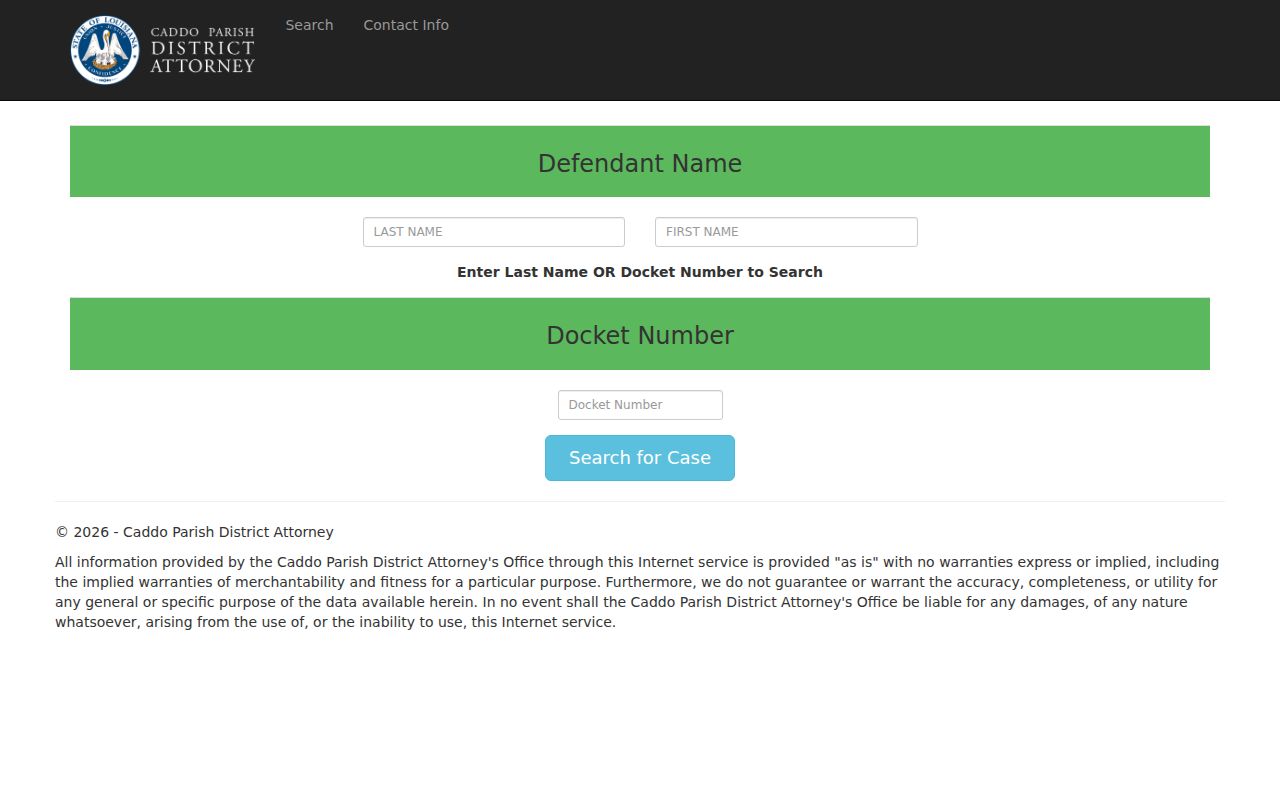
Find the next setting with the form, then verify the procedural history in the clerk-held docket.
Criminal Dockets: What They Show
A criminal docket is a running index of case events. It can show a filing. It can show a court date, a judge or section, a plea, a ruling, or a minute entry. What it is not is a copy of every filed document. The Caddo Clerk keeps the First Judicial District criminal records. The DA page stops at next-date information and goes no further. Keep the legal weight of each line in view. A charge is an allegation, not a finding. A calendar entry means a matter is scheduled, nothing more. A minute or disposition entry describes procedural action. A certified copy requires a separate clerk request.
| Docket number | Use the exact number from the notice or official result. The DA form accepts it, but the public page does not prescribe a punctuation pattern. |
|---|---|
| Charge or filing | A bill, indictment, amendment, dismissal, or other filing may appear as an entry. The entry alone does not decide the case. |
| Setting | Date, time, courtroom, judge, and section identify a scheduled appearance or event. |
| Plea or adjudication | Read the actual minute entry to distinguish a plea, finding, or other procedural action. |
| Disposition and sentence | These are separate events. A future-date view does not prove either one. |
The DA detail view shows how narrow those setting fields are. Expect defendant name, docket number, next court date and time, courtroom number, and judge. That is enough to verify the scheduled event. It does not replace a complete criminal docket.
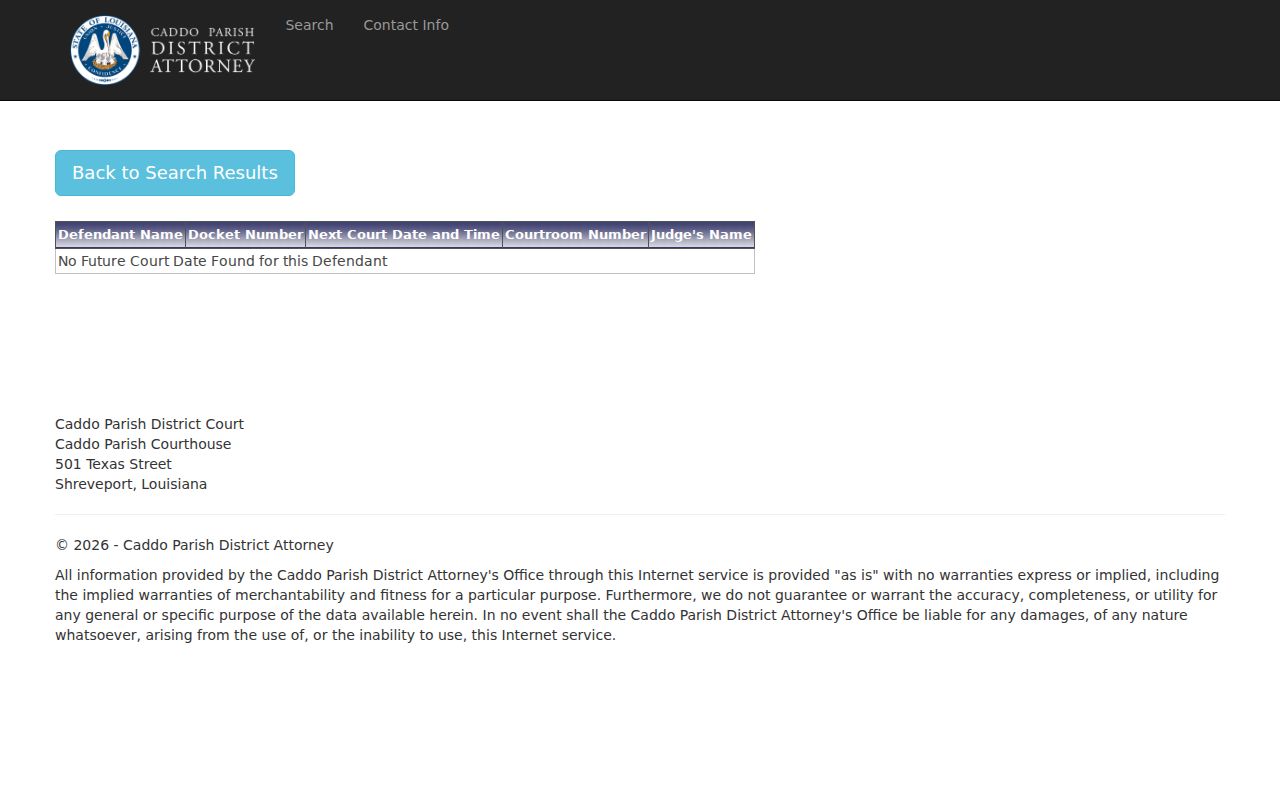
Note the source and the date you accessed it. That habit separates a current calendar result from a historical minute entry.
Caddo Criminal Docket Terms
Short docket labels demand context. At an arraignment, the accused hears the charge. The accused then enters, or is expected to enter, a plea. A status or pretrial date is a case-management setting. It may lead to a motion hearing, continuance, plea discussion, or trial assignment. A courtroom number tells you where to go, not necessarily the final assignment. The Caddo Clerk judge page carries the current judicial roster and section map.
- Minute entry
- A procedural record or summary of an event in court.
- Continuance or reset
- A setting moved to another date. The order or minute explains what changed.
- Bench warrant
- A court order that may issue in defined circumstances; a missed listing alone does not prove one exists.
- Disposition
- The recorded procedural outcome, which should be read separately from a charge or future setting.
Read each label with its event date and the court record beside it. A term marks a scheduled step, not its result. A later minute entry or signed order fills in what a short docket label leaves out.
Criminal Case Stages on the Docket
Caddo criminal records can run from arrest or summons information to a bill of information or indictment, arraignment, motion and status settings, a plea or trial, adjudication, sentencing, and appeal activity. No case follows every step in the same order. A dismissal, amendment, continuance, transfer, or plea can reroute the path entirely. Read entry by entry. One calendar date is never the complete result.
Docket flow: Charge Filed › Arraignment › Pretrial Settings › Plea or Trial › Disposition › Sentencing
Caddo Criminal Docket History
The Caddo criminal records page explains the clerk's handling of filings, charging instruments, subpoenas, bench warrants, and minutes. It also spells out the historical coverage: a computer index beginning in 1980, minutes beginning in 1984, and scanning beginning in 2002. Anything older may come back incomplete through a portal. A clerk request is often the answer there.
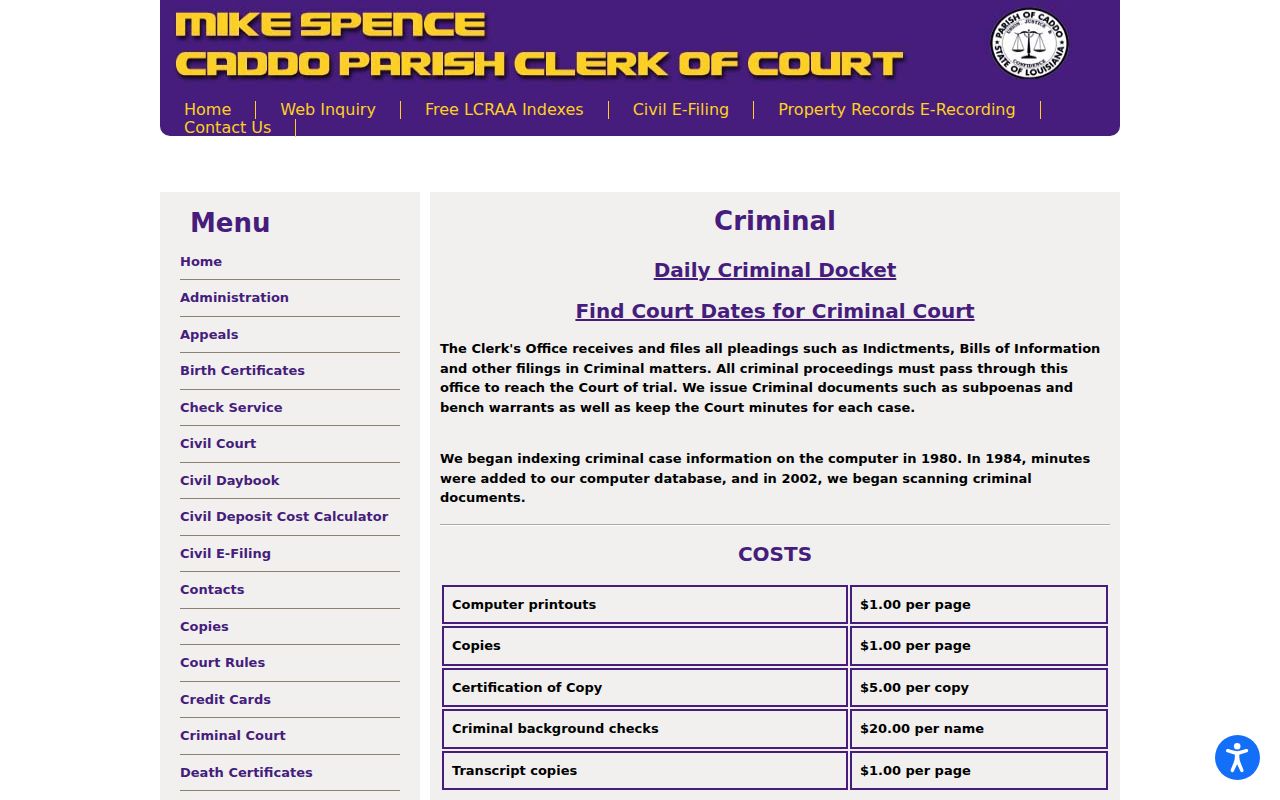
The clerk page gives the record route and history note that a calendar screen cannot.
Caddo Criminal Minute Access Since 2020
eClerks LA is the statewide layer set up under the LCRAA. It includes a Criminal Search route. R.S. 13:5992 requires district clerks to transmit public criminal minute entries or summaries. This applies to qualifying cases filed on or after January 1, 2020. The categories cover charging changes and bail or custody details. They also include hearings, adjudication, sentencing, dates, judges, and prosecutors. Traffic violations stay outside the rule. A Caddo Parish criminal docket from 2020 forward may show up here even before you touch the local clerk tools.
Treat this layer as minutes and summaries. It is not a promise of free access to every indictment, exhibit, transcript, or judgment image. Need the exact record? Pair the result with Clerk Connect, the clerk counter, or a narrow copy request.
The electronic criminal-record statute sets the official status of electronic records. It also limits how much private information gets exposed.
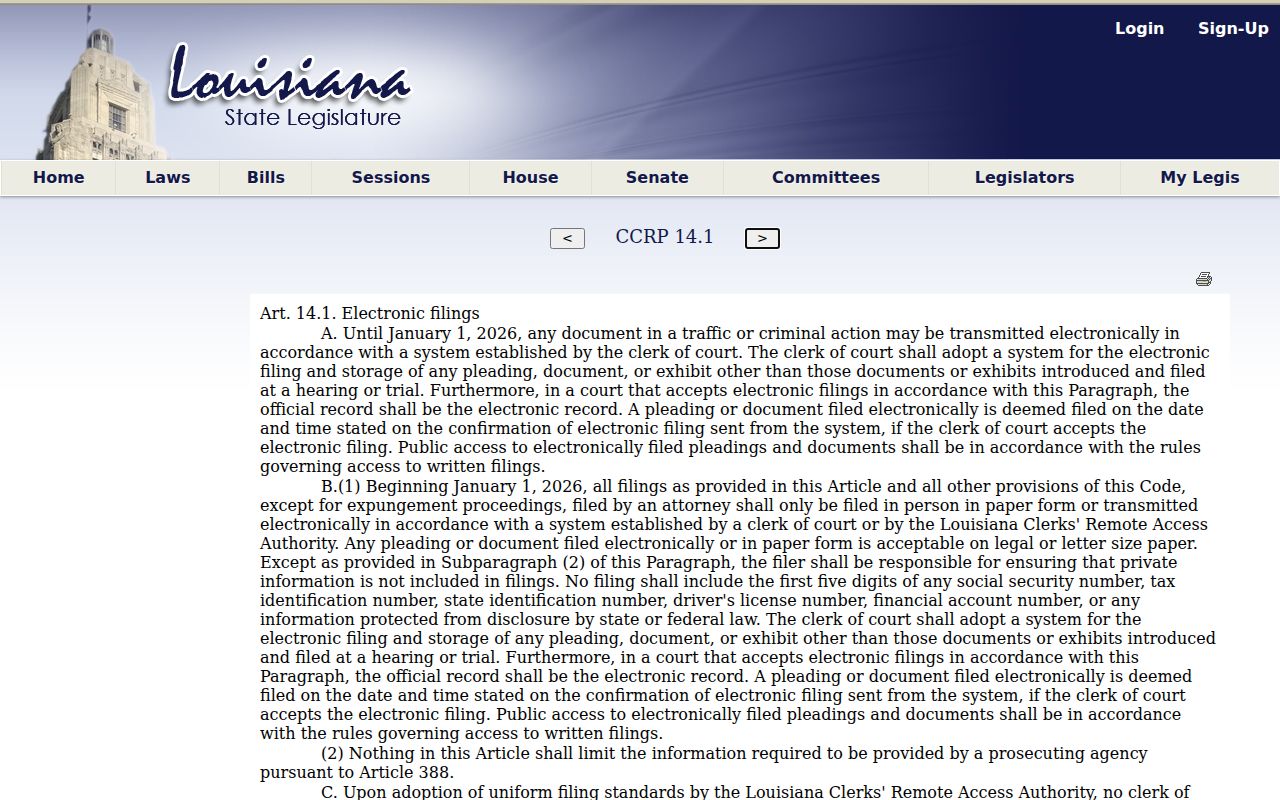
Electronic access does not remove the separate rules governing confidential information or unavailable images.
Caddo Parish Criminal Docket Courts
Adult district criminal cases in Caddo Parish belong to the First Judicial District Court. Clerk of Court Mike Spence maintains its criminal records. The District Attorney criminal divisions list five criminal sections. The Clerk's Daily Criminal Docket lays out the current calendar by defendant name, time, date, courtroom, judge, and section. The Daily Criminal Docket gives you a public list of what is scheduled. It is not a historical register of the court docket.
Other criminal matters sit with other offices. Shreveport City Court keeps its own records and calendar. A separate Juvenile Clerk's Office holds Juvenile Court files, which are generally confidential. Mayor's courts and justice-of-the-peace courts keep local records of their own. Federal cases live in the Western District of Louisiana system. They are not in Clerk Connect. Name the right court before any docket search.
Caddo Criminal Search Fallbacks
If the DA search shows no future court date, start with the small stuff. Check the docket number and the name spelling. Then ask a few questions. Is the case simply older, or does it have no future setting? Does it sit in City Court or juvenile court, or is it limited by a seal or expungement? The official DA result notice says plainly that the page covers only cases with a future court date. That is the full scope. It is not a complete criminal-history answer, so do not treat it as one.
For a district-court record, call criminal minutes at 318-226-6786, use Clerk Connect, or file a narrow request through the Caddo public-record request page. Give the docket number, the approximate date, the minute entry or document you want, and whether you need an electronic or certified copy.
Access Rules for Criminal Dockets
Louisiana keeps limits on public access. Juvenile proceedings are generally confidential. Expunged criminal records are confidential too. A sealed filing may leave behind only a limited public index entry. Protected personal information, medical material, discovery, and grand-jury material can also be withheld. When a result comes back restricted, ask the right clerk division a question. Does a public, redacted, or authorized copy exist? Never assume that a missing search result means no proceeding ever occurred.
Key Rules:
R.S. 13:5992 provides a public electronic minute-entry or summary route for qualifying criminal cases filed from 2020, with stated exceptions including traffic.
La. C.Cr.P. art. 14.1 recognizes electronic criminal records while protecting private information.
La. C.Cr.P. art. 973 makes expunged records confidential except as the statute allows.
Use a search result to pin down the court, the docket number, the date, and the custodian. To verify a current or consequential case event, go to the clerk or court that keeps the file. That office speaks for the record.